.png)


How Does a Shopify Migration Company Handle Custom Apps and Features?


Many store owners think Shopify migration is only about moving products, customers, orders, and URLs. That is only one part of the work. The harder part starts when the current store has custom apps, special product options, unique checkout logic, or third-party integrations.
These features often support daily sales and operations. They may manage pricing, inventory, product customization, loyalty points, shipping rules, or customer workflows. If they do not move properly, the new Shopify store may look ready but fail during real use.
A good Shopify migration company does not copy everything blindly. It reviews how each custom feature works, checks whether Shopify already has a better option, and builds a migration plan that keeps the store stable after launch.
How Are Custom Apps Handled During Migration?
Custom apps are reviewed to determine whether they should be migrated, replaced, rebuilt, or removed. Many features can be replaced with Shopify apps, while unique workflows are rebuilt as custom Shopify apps.
App-related data, such as loyalty points, subscriptions, customer tags, custom fields, and order notes, is migrated using APIs, CSV files, or Shopify metafields. Before launch, all custom workflows are thoroughly tested to ensure they function correctly across the storefront, checkout, and admin.
Also read: Shopify Scripts Sunset (June 30, 2026): The Migration Checklist Before Your Discounts Break
Why Custom Apps and Features Are the Biggest Challenge During Shopify Migration

Migrating products, customers, and orders to Shopify is relatively simple. The real complexity lies in migrating the custom apps, integrations, and business-specific features that power your day-to-day operations.
Some of the biggest challenges include:
Platform-specific functionality: Features built for platforms like Magento, WooCommerce, or BigCommerce may rely on technologies or APIs that Shopify does not support in the same way.
Custom business workflows: Pricing rules, approval processes, subscription logic, customer portals, and other unique workflows often need to be redesigned using Shopify's native capabilities or custom development.
Third-party integrations: ERP, CRM, PIM, payment, shipping, and marketing systems must be reconnected and tested to ensure data flows correctly after migration.
Data compatibility: Custom fields, metafields, loyalty data, memberships, and other app-specific information require careful mapping to prevent data loss.
Maintaining customer experience: Custom search, product configurators, B2B features, or personalized shopping experiences must continue to work without disrupting the customer journey.
Without a well-planned migration strategy, businesses risk broken integrations, missing functionality, inconsistent data, and operational downtime. An experienced Shopify migration company identifies these challenges early, determines each feature thoroughly, and tests every workflow before launch.
Why Are Custom Apps and Features Important in Shopify Migration?
Custom features often do more than add extra design elements. They support how the store sells, manages data, serves customers, and connects with other systems. If these features are missed during migration, the new Shopify store can face order issues, customer confusion, missing data, or broken workflows.
Custom Apps Can Manage Key Store Functions
Many stores depend on custom apps for key functions. These may include product customization, pricing rules, wholesale access, subscriptions, loyalty points, shipping logic, inventory sync, and special discount rules. These features need careful mapping before migration.
Custom Features Shape the Customer Experience
Custom storefront features can influence buying decisions. Filters, search, bundles, reviews, product recommendations, size guides, and product options all shape how shoppers move through the store. If these features break after migration, shoppers may struggle to find products or complete purchases.
Custom Apps Connect Important Business Systems
Many custom features connect with ERP, CRM, accounting, POS, warehouse, fulfillment, and marketing tools. These systems help the store manage stock, customer records, orders, invoices, and campaigns. A Shopify migration company must check how data moves between these systems before relaunching the store.
Custom Features Can Increase Migration Risk
Custom apps can store data in different places. Some store data in the old platform. Some use third-party databases. Others depend on custom scripts or plugins. If the migration team misses these details, the new Shopify store may face broken scripts, missing app data, tracking gaps, or order processing errors.
How a Shopify Migration Company Handles Custom Apps and Features
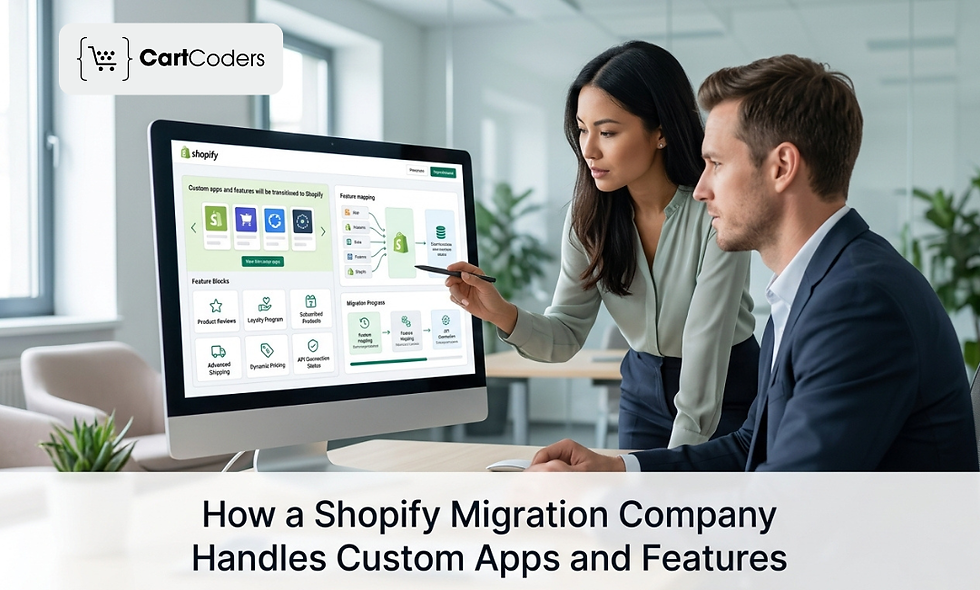
A successful Shopify migration goes beyond moving products and customer data. Custom apps, integrations, and business-specific workflows require careful planning to ensure your store functions seamlessly after launch. A Shopify migration company follows a structured approach to preserve critical functionality while optimizing your store for Shopify.
Step 1: Audit Existing Apps and Custom Features
The first step is understanding how your current store operates. Migration experts conduct a detailed audit to identify:
Installed third-party apps
Custom-built applications and extensions
Business workflows and automation
API dependencies and external integrations
This assessment helps create a migration roadmap and prevents important functionality from being overlooked.
Step 2: Decide What to Keep, Replace, or Rebuild
Once the audit is complete, every feature is evaluated to determine the most efficient migration strategy.
Replace features with Shopify's native capabilities where possible.
Use trusted Shopify apps for standard functionality.
Rebuild complex, business-specific features with custom development.
Remove outdated or unused apps to reduce maintenance costs and improve performance.
Step 3: Rebuild Custom Functionality
Features that are unique to your business are recreated using Shopify's development framework. These may include:
Custom checkout experiences
Customer portals
Subscription workflows
Product configurators
Wholesale/B2B functionality
Inventory, ERP, and other enterprise integrations
Step 4: Migrate App-Related Data
A migration company also transfers data connected to custom applications, including:
Customer profiles
Order history
Loyalty points and rewards
Membership details
Custom product fields and metafields
Other business-specific records
This ensures customers and internal teams experience minimal disruption after migration.
Step 5: Reconnect Third-Party Integrations
After the store is built, all essential business systems are reconnected, such as:
ERP and CRM platforms
PIM systems
Payment gateways
Shipping providers
Marketing automation tools
Accounting software
Each integration is configured and validated to ensure smooth data synchronization.
Step 6: Test Every Custom Workflow Before Launch
Before going live, migration experts thoroughly test the entire store to identify and resolve any issues. This typically includes:
User acceptance testing (UAT)
Checkout and payment testing
API and integration validation
Performance and load testing
Mobile responsiveness testing
Security and compliance checks
How CartCoders Helps With Custom Shopify Migration
Custom apps and features need a careful migration plan, not a basic copy-paste process. CartCoders helps brands review current store functions, move important data, rebuild custom features, and connect Shopify with the tools they already use.
Our skilled experts can help with:
Custom app review and migration planning
Shopify app development services
Storefront feature rebuilding
ERP, CRM, shipping, and payment integrations
Checkout, analytics, and tracking setup
Post-launch testing and support
Contact us to plan your Shopify migration with fewer feature gaps and a cleaner launch process.
Conclusion
A Shopify migration agency handles custom apps and features by first auditing the current store. Then it decides what should be moved, rebuilt, replaced, or removed.
Standard data can often be moved via migration tools, CSV imports, or apps. Custom workflows require more thorough planning because they may depend on APIs, metafields, checkout behavior, customer data, or third-party systems.
The goal is simple. Keep important features working while making the new Shopify store easier to manage, faster to run, and ready for future growth.
FAQs
Can custom apps be migrated to Shopify?
Custom apps cannot always be moved directly. A migration company may rebuild the app, connect it through APIs, or replace it with a Shopify app.
What happens to custom features during Shopify migration?
Custom features are reviewed, mapped, rebuilt, replaced, or removed based on their business purpose and Shopify compatibility.
Can Shopify support custom product options?
Yes, Shopify can support custom product options through apps, metafields, custom theme work, or custom app development.
How does a migration company test custom apps?
The team tests admin workflows, customer actions, checkout flow, data sync, API calls, and real order scenarios before launch.
Is custom Shopify app development needed after migration?
It depends on the store. If an existing feature has no suitable Shopify app replacement, custom Shopify app development may be needed.


Comments